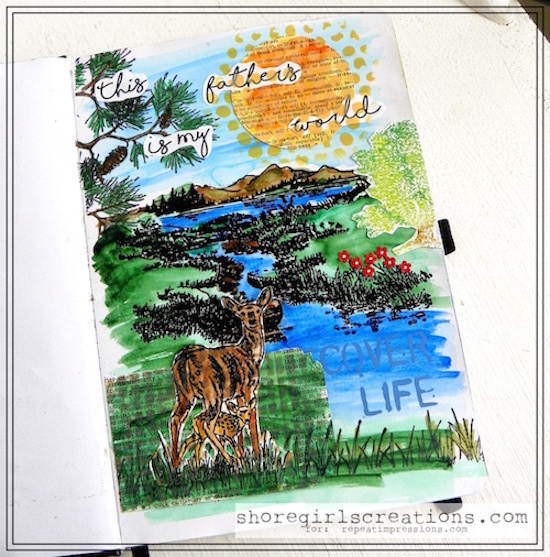
Hello crafty friends! Today I’m walking you through the steps I used to create a nature scene with some of my favorite RI stamps. The one I created is in my art journal (a new hobby of mine), but you can use these same techniques in your card making.
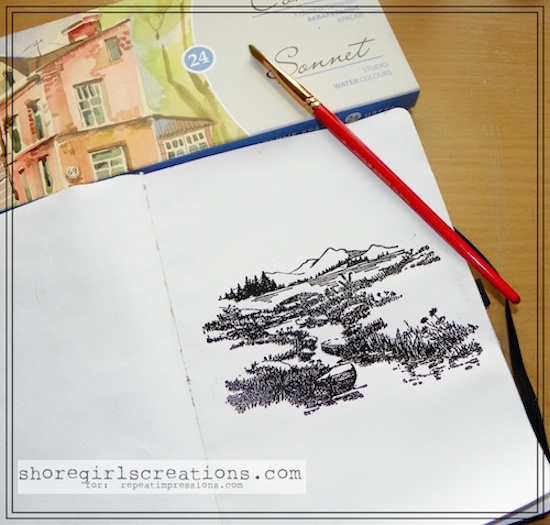
The first thing I did was to prep my page with a layer of Clear Gesso. This keeps the paints from soaking in (and through) your paper and also lets you move colors around longer without “pilling.”
Next I stamped 1712-P, By the Stream and 629-I, Mountain Vista in Versamark Watermark Ink on the center of my page.
I added black embossing powder to the stamped design and heat set it.
Now it’s time to color!
I used my Sonnet Watercolors to create a stream and the grassy meadow.
I used lighter colors on the sky and mixed greens and browns for my mountains.
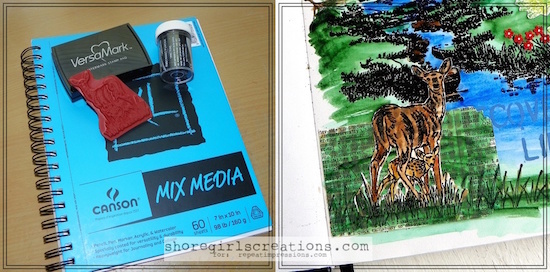
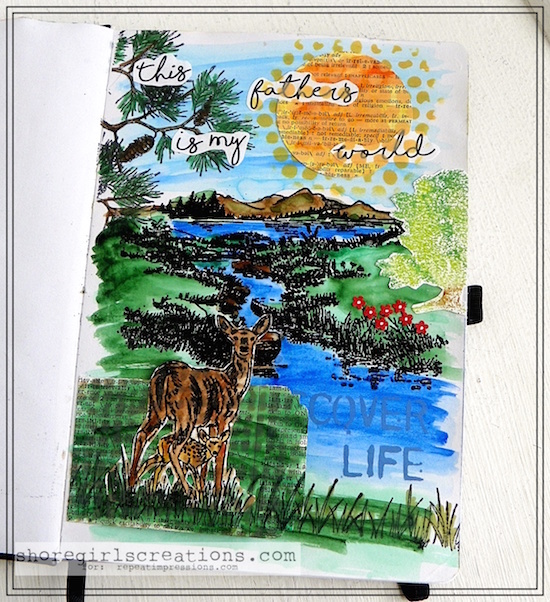
I stamped the 4218-K, Whitetail Doe and Fawn in versamark ink (on watercolor paper), added black embossing powder, and heat set.
I also colored this with my Sonnet Watercolors
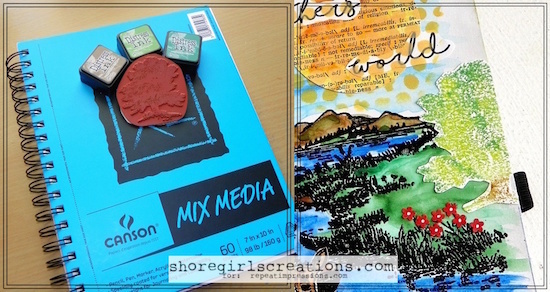
I inked up my 1613-J, Summer Tree stamp with Mowed Lawn Distress Ink and bounced my Pine Needles ink pad around the edges for a more realistic - two tone look.
The tree trunk was inked with Vintage Photo distress ink, and then I lightly spritzed the whole thing with water before stamping it on watercolor paper.
I fussy cut around it and added half of it to the right edge of the page.
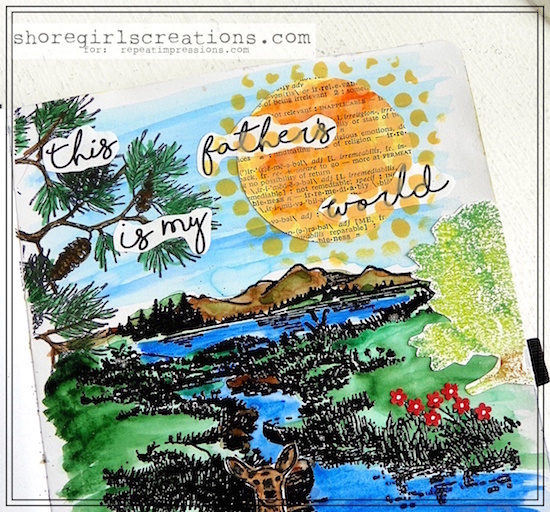
If you want to add a little more interest to your page (or card) you can change up the elements by cutting some out of dictionary pages like I did.
Using a circle punch I cut a large sun and a tag from dictionary page (both of these are water-colored as well).
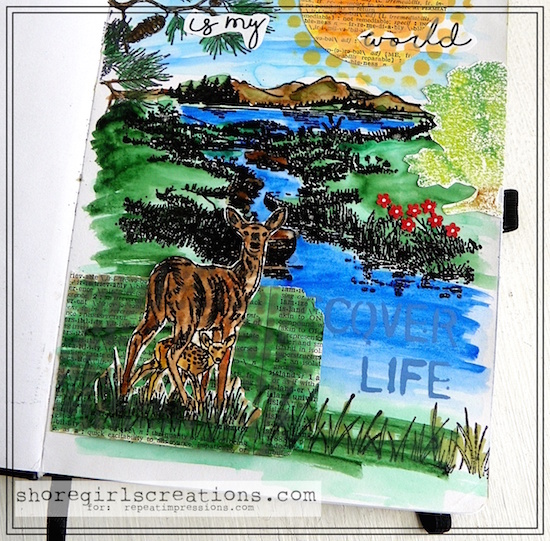
I thought it would be fun to add an interactive element to my page, so I attached just the left side of my tag to the bottom of my page.
I stamped the 1507-J, Grass Border across the bottom and added my water colored deer over top.
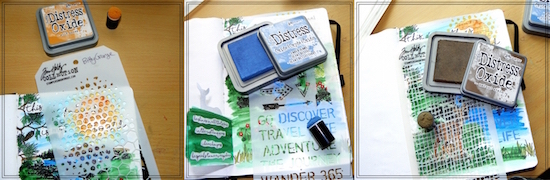
Using three different Tim Holtz stencils I added even more dimension to my scene.
I sponged Wild Honey distress oxide through the Bitty Grunge stencil over top my sun.
I sponged Walnut Stain distress oxide through my Burlap stencil over my deer and tag.
I sponged Faded Jeans distress oxide through two of the words on the Air Travel stencil into my stream.
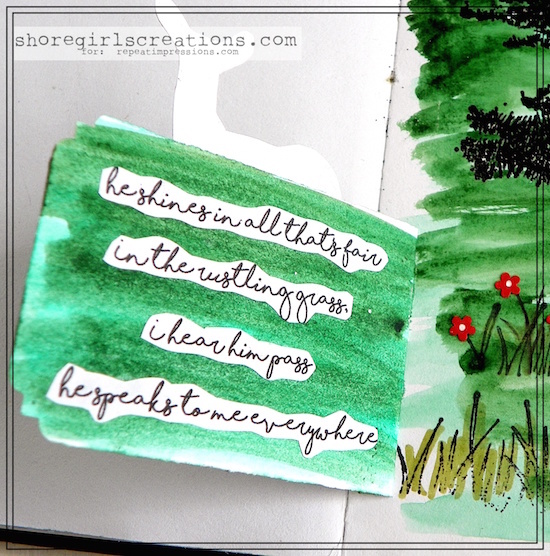
On the inside of my tag I added the words to one of my favorite hymns - This Is My Father’s World - it goes along with this scene perfectly
“This is my father’s world
He shines in all that’s fair
In the rustling grass, I hear him pass
He speaks to me everywhere”
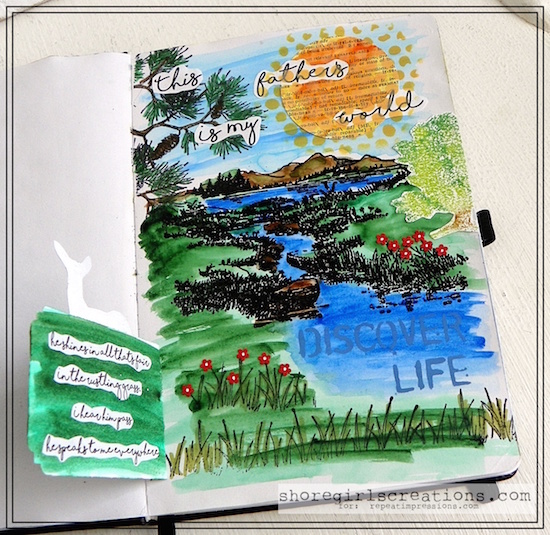
I stamped the 1507-J, Grass Border across the bottom, and using my Touch Five Markers I added a bit more green color to the blades of grass.
I also punched some tiny flowers with the Scalloped Daisy Fiskars Border Punch and created a few patches of wildflowers.
I added tiny white centers to my blooms with a white gel pen.
I stamped the 2708-M, Pine Branch in the top left corner and traced over the branches and pine cones with green and brown Touch Five markers.
(All of the wording on this page was computer generated.)
I hope you’ve enjoyed this picture tutorial for one of the ways I enjoy creating scenes.
You can achieve a variety of different looks depending on the medium you use to color with and how much layering you want to do.
The important thing is to enjoy creating - and I certainly did that with this art journal page!
Until next time — Happy Stamping!
~ Esther
For this week only (July 30 - August 5, 2018), get 20% Off the stamps used in Esther’s creation above when you use the coupon code POTW73018
5 Responses to “Pick of the Week ~ Creating A Scene”
Sorry, the comment form is closed at this time.
Death taking and beautiful. Very detailed tutorial with step-by-step instructions. This would be awesome in a Biblejournal. Thanks for this amazing piece of art.
Beautiful creation! Love your scene! Amazing!
This is amazing!!! I love how you stamped the stream and mountains together-they look like they belong just like that!
Absolutley fabulous, Esther! And that’s one of my favorite hymns too.
Absolutely gorgeous! Breathtakingly! Great tutorial too!